Photo Collage is a full featured, easy-to-use application with which you can create beautiful photo compositions in no time. No technical skills required!
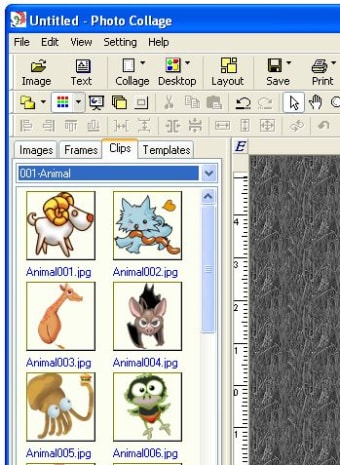
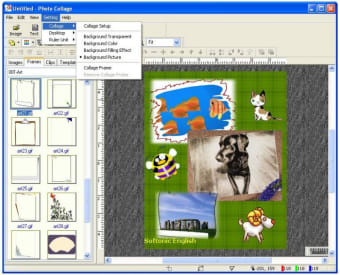
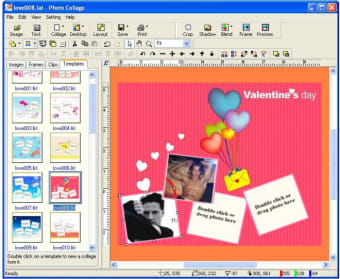
The program contains just about anything you need you create the collage – that is, everything except images themselves. The featured material includes background images, frames, clipart, borders and masks, all of them is such a large and colorful variety that you'll find it hard to choose just one. Besides, the program is extraordinarily easy to use: simply drag and drop the different elements of your collage on the interface, resize and rearrange them any way you want with your mouse and you're pretty much done. It's like scrapbooking, but without scissors and glue.
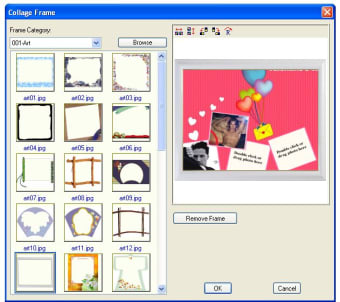
The only drawback I found to this great app is the fact that some frames don’t blend with the background properly, meaning they show a white border around the frame instead of being transparent. Also, I'd like to be able to save my work in other formats (HTML, EXE) rather than just as an image file, but at least I have a few graphic formats to choose from.
Photo Collage enables you to create amazing collages with your digital pictures, but only save them as image files.
Pros
Very easy to use: simply drag and drop
Includes loads of material to get you started: frames, backgrounds, clipart
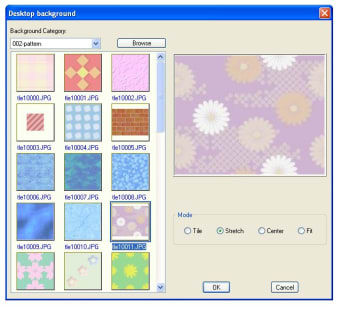
Photo Collage is a collage maker that is capable of creating eye-catching photo collages, desktop wallpaper, CD and DVD covers, and miscellaneous Web graphics. Photo Collage Maker has various background pictures, mask templates and frame templates, you can add beautiful frames to photos, and merge photos seamlessly. Photo Collage Maker makes it possible to arrange your favorite photos on a digital canvas without actually having to cut up real photo prints and gluing them to poster board.
Photo Collage Maker is easy to use. In just a few clicks you can select your pictures, crop them, apply cool edge effects, add a beautiful frame, merge them and position and layer them anyway you like. In addition to building photo collages, Photo Collage is also an image viewer, it includes a function for locking your folder, and you can hide your private pictures from spy's eyes. The file can be saved as a multi-layer project for future editing.
Key features include:
Assemble and overlap photos in almost any position and direction
Laws concerning the use of this software vary from country to country. We do not encourage or condone the use of this program if it is in violation of these laws. Softonic may receive a referral fee if you click or buy any of the products featured here.